
TeslaX Tatkal Software
High-speed Web + App booking with smart automation
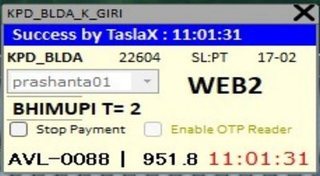
🤔 What is TeslaX Tatkal Software?
TeslaX Tatkal Software high-speed Web + App IRCTC Tatkal booking ke liye banaya gaya hai. Fast response time, auto captcha fill, smart OTP handling aur 2 PNR ek saath booking ke saath — TeslaX un agents ke liye hai jo speed aur reliability dono chahte hain ek affordable package me.
TeslaX Tatkal Software India ke travel agents aur travelers ke liye design kiya gaya hai jo IRCTC ki Tatkal window (AC 10:00 AM, Sleeper 11:00 AM) par confirmed ticket book karna chahte hain. Manual booking me captcha bharne aur payment karne me time lag jaata hai aur seats seconds me khatam ho jaati hain — TeslaX ye sab automate karke booking ko bijli ki tarah tez bana deta hai.
⚙️ How does TeslaX Tatkal Software work?
TeslaX Tatkal Software aapki IRCTC login, passenger aur payment details pehle se save karke rakhta hai. 10:00 AM Tatkal window khulte hi ye booking form turant auto-fill karta hai, captcha aur smart OTP khud handle karta hai, aur sirf 45–55 second mein confirmed PNR generate kar deta hai — manual booking se 10x tez.
🚀 Key Features
⭐ Why Choose TeslaX?
📋 How to Use TeslaX
Step 1: Buy & Download
Is page se "Buy TeslaX" par order karo. Payment ke 5-10 min baad Dashboard + WhatsApp dono par download link + license key aa jaayegi.
Step 2: Install karo
Software download karke install karo (2 min setup). Windows 7/8/10/11 par smooth. License key se activate karo.
Step 3: IRCTC ID & Passenger Setup
Apni IRCTC ID (🌐 Web + 📱 App) add karo, passenger master list aur payment (UPI/QR/Net Banking) save karo — ek baar.
Step 4: Tatkal Booking
Tatkal time (AC 10 AM / Sleeper 11 AM) par chalao — auto captcha, smart OTP handling aur auto payment se seconds me confirmed ticket.
💻 System Requirements
| Operating System | Windows 7, 8, 8.1, 10, 11 (64-bit) |
|---|---|
| RAM | Min 4GB (8GB recommended) |
| Internet | Stable broadband / VPS recommended |
| Login Mode | 🌐 Web + 📱 App |
| Extra (optional) | VPS + Proxy for hard routes |
⚙️ Software Installation Requirements
Tatkal software run / setup karne se pehle ye 4 required files install kar lijiye. Ek baar install ho gayi to har software smoothly chalega.
💻 Remote Installation Support
Agar aapko software installation ya setup nahi aata, to FREE remote support available hai. Hamari team aapke PC par connect karke pura software install + setup kar degi.
- AnyDesk download & install karein
- AnyDesk open karein
- Apna AnyDesk ID WhatsApp par bhejein
- Team connect karke install + setup karegi ✔️
- UltraViewer download & install karein
- UltraViewer open karein
- Apna ID & Password WhatsApp par bhejein
- Team connect karke install + setup karegi ✔️
💰 TeslaX Tatkal Software Price
TeslaX Tatkal Software ki price ₹1,999 per month hai (MRP ₹2,400 — abhi ₹401 ki bachat). Is price me auto captcha, all-bank smart OTP handling, auto payment, daily updates, instant WhatsApp license delivery aur 24/7 support — sab included hai. 1 Day Money Back Guarantee ke saath bilkul risk-free.
Currently Unavailable🎁 TeslaX + VPS Combo
TeslaX Software aur high-speed VPS ek hi bundle me — up to 10% tak bachao. Pre-configured, ready-to-use aur turant delivery.
- 🖥️ 8 GB RAM / 4 vCPU / Windows VPS included
- ⚡ Ready-to-use — software + server pre-configured
- 📲 Instant WhatsApp delivery + license key
- 🎧 24×7 priority support & free setup help
- 🔒 Secure & stable · 1-day money-back guarantee
- 🖥️ 16 GB RAM / 8 vCPU / Windows VPS included
- ⚡ Ready-to-use — software + server pre-configured
- 📲 Instant WhatsApp delivery + license key
- 🎧 24×7 priority support & free setup help
- 🔒 Secure & stable · 1-day money-back guarantee
- 🛡️ 8 GB VPS + Dedicated Linux IP (anti-ban, hard routes)
- ⚡ Ready-to-use — software + server pre-configured
- 📲 Instant WhatsApp delivery + license key
- 🎧 24×7 priority support & free setup help
- 🔒 Secure & stable · 1-day money-back guarantee
🔥 Other Tatkal Software — Buy or Compare
Recommended products pehle dikh rahe hain. Yahi se buy karo ya full details dekho:
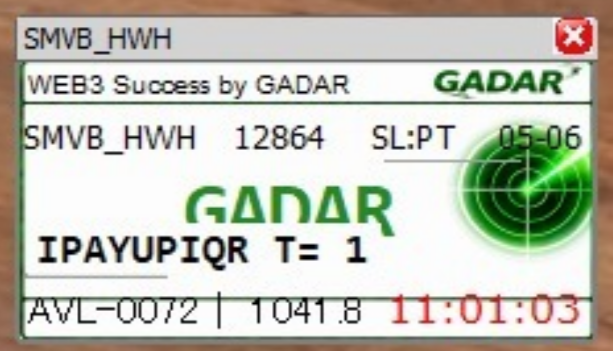
- ☁️ VPS Optimized Performance
- 🔄 Automatic Software Updates
- 🛡️ Advanced Protection Layer
- ⚙️ Stable & Consistent Operation
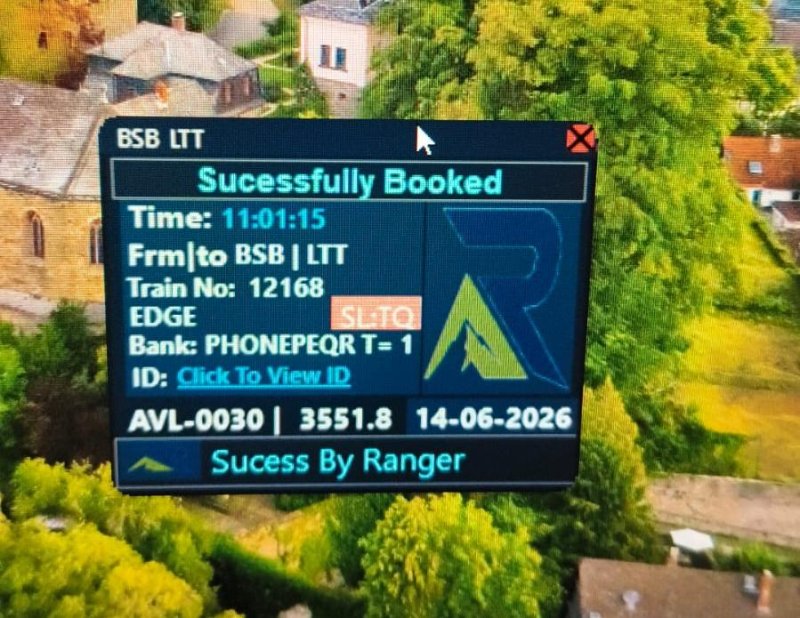
- 🎯 Precise & Fast Tatkal Booking
- 📱 App + Web — dono pe login
- ⚡ Auto Captcha + Auto Payment
- 🔒 All-Bank OTP Support
- 🔥 Direct Web Login
- 💳 Auto UPI / QR Payment
- 🎫 Dual PNR Booking
- 🌐 VPS & Proxy Supported
- 💼 Professional Grade Software
- ⚡ Ultra-Fast Response Time
- 🔒 Advanced Security Features
- ☁️ Cloud & VPS Compatible
- 🚀 Industry-Leading Performance
- 🛡️ Web+App Both Login
- ⚙️ Intelligent Automation Engine
- 🌐 Global Server Compatibility
- 🚀 Maximum Performance Engine
- 🌐 Multi-Server Compatibility
- 🔒 Secure Login Protection
- ⚙️ Optimized Resource Usage
🔍 TeslaX vs Manual Tatkal Booking
| Feature | TeslaX Software | Manual Booking |
|---|---|---|
| Auto Captcha Fill | ✅ Yes (free) | ❌ Manual type |
| all-bank smart OTP handling | ✅ Yes | ❌ No |
| Auto Payment (UPI/QR) | ✅ Automatic | ⏳ Manual entry |
| Booking Speed | ⚡ ~10 seconds | 🐢 2-3 minutes |
| Confirmed Ticket Chance | 🟢 Very High | 🔴 Low |
| Master List Auto-Fill | ✅ Yes | ❌ Type every time |
| 24/7 Support | ❌ None |
TeslaX speed aur value ka balance deta hai. Star TS thodi aur fast hai par TeslaX dual-mode + affordable combo me strong hai.
TatkalSoftware.in par 12 software hain — har ek alag use-case ke liye. TeslaX (🌐 Web + 📱 App, ₹1,999) un users ke liye perfect hai jo agents jo speed + dual mode + value chahte hain. Confused ho to hamari 24/7 WhatsApp team aapko sahi software suggest karegi.
⭐ TeslaX — Customer Reviews
Real agents jo TeslaX use karte hain:
"TeslaX se Tatkal ticket seconds me confirm ho gaya — pehle manual me hamesha miss hota tha. Best software!"
📍 Chennai · ✓ Verified Buyer
"TeslaX ka auto captcha fill ekdum fast hai. Setup WhatsApp pe turant mil gaya. Highly recommended."
📍 Aligarh · ✓ Verified Buyer
"Daily use karta hu TeslaX — confirmed ticket ka rate kaafi badh gaya. Support bhi 24/7 milta hai."
📍 Jodhpur · ✓ Verified Buyer
"TeslaX ke saath 10 AM ka rush aaram se handle ho jaata. One-click booking, zero tension."
📍 Jaipur · ✓ Verified Buyer
"Agent hone ke naate TeslaX mere liye game-changer hai. VPS ke saath aur bhi fast."
📍 Ahmedabad · ✓ Verified Buyer
"TeslaX bahut smooth chalta hai Windows 11 pe. License instant mila, koi wait nahi."
📍 Varanasi · ✓ Verified Buyer
"Pehli hi baar TeslaX se confirmed Tatkal mil gaya. Paisa vasool, fully automatic."
📍 Chennai · ✓ Verified Buyer
"TeslaX ki speed dekh ke hairaan hu — 45 second me PNR. Manual booking ab kabhi nahi."
📍 Aligarh · ✓ Verified Buyer
"Support team ne TeslaX ka setup live help karke karaya. Bahut professional service."
📍 Jodhpur · ✓ Verified Buyer
"TeslaX + VPS combo liya, ab har din confirmed ticket. Best investment for agents."
📍 Jaipur · ✓ Verified Buyer
"TeslaX use karna ekdum easy hai. Non-technical banda bhi chala le. Recommended."
📍 Ahmedabad · ✓ Verified Buyer
"Sleeper aur AC dono window TeslaX se cover ho jaate. Ek software, poora kaam."
📍 Varanasi · ✓ Verified Buyer
"TeslaX ne mera time bacha diya — form pehle se fill, bas ek click. Superb."
📍 Chennai · ✓ Verified Buyer
"Family trip ke liye TeslaX se 4 tickets ek saath confirm. Lifesaver software."
📍 Aligarh · ✓ Verified Buyer
"TeslaX ki reliability best hai — 3 mahine se use kar raha, kabhi fail nahi hua."
📍 Jodhpur · ✓ Verified Buyer
"TeslaX ka demo try kiya phir kharida. Real speed dekh ke hi decide kiya. Worth it."
📍 Jaipur · ✓ Verified Buyer
"Renewal reminder dashboard pe aa jaata, TeslaX ka pura system automatic hai."
📍 Ahmedabad · ✓ Verified Buyer
"TeslaX ke saath clean IP proxy liya — parallel booking bina block ke. Perfect for business."
📍 Varanasi · ✓ Verified Buyer
"Maine kai software try kiye, TeslaX sabse tez aur stable nikla. 5 star."
📍 Chennai · ✓ Verified Buyer
"TeslaX se confirmed ticket milne lage, ab travel tension khatam. Thank you team."
📍 Aligarh · ✓ Verified Buyer
"WhatsApp pe instant delivery + TeslaX ki speed = confirmed Tatkal guaranteed."
📍 Jodhpur · ✓ Verified Buyer
"TeslaX beginner-friendly hai, video guide se setup ho gaya. Bahut accha."
📍 Jaipur · ✓ Verified Buyer
"Office ke sabhi agents TeslaX use karte hain ab. Booking success rate top."
📍 Ahmedabad · ✓ Verified Buyer
"Trusted software TeslaX — order ke baad har booking confirmed. Highly satisfied."
📍 Varanasi · ✓ Verified Buyer
👥 TeslaX Community + Setup Guide
TeslaX ke daily updates, booking tips aur step-by-step setup guide ke liye join karo.
WhatsApp Channel Telegram Read Setup Guide❓ TeslaX — Frequently Asked Questions
Q What is TeslaX Tatkal Software?
TeslaX Tatkal Software ek IRCTC Tatkal ticket booking tool hai — High-speed Web + App booking with smart automation. Ye ₹1,999/month me 🌐 Web + 📱 App ke saath auto captcha, smart OTP handling aur instant PNR deta hai.
Q TeslaX Tatkal Software ki price kya hai?
TeslaX ki price ₹1,999 per month hai (MRP ₹2,400 — aapko ₹401 bachat). Payment ke turant baad Dashboard aur WhatsApp dono par license + download link milta hai.
Q TeslaX Tatkal Software kaise download kare?
Is page par "Buy TeslaX" button se order karo, payment karo — 5-10 minute me Dashboard + WhatsApp par download link aur license key aa jaayegi. Phir software install karke Tatkal booking shuru karo.
Q Kaunsa login mode TeslaX me support hai?
TeslaX 🌐 Web + 📱 App support karta hai. Agents jo speed + dual mode + value chahte hain ke liye ye best hai.
Q Kya TeslaX sabhi Windows par chalta hai?
Haan, TeslaX Windows 7, 8, 10 aur 11 — sabpe chalta hai. 4GB RAM minimum recommended hai. Fast booking ke liye VPS/Proxy bhi available hai.
Q Kya TeslaX me money-back guarantee hai?
Haan, 1 Day Money Back Guarantee hai. Aur hamari 24/7 WhatsApp support team TeslaX setup aur use me poori help karti hai.
Q TeslaX install karne ke liye kya chahiye?
Software chalane se pehle 4 free Microsoft files install karni hoti hain: (1) Edge WebView2 Runtime, (2) Visual C++ Redistributable x64, (3) .NET Desktop Runtime 8.0, aur (4) .NET SDK 6.0. Ye sabhi free hain aur is page par download links diye gaye hain. Agar install karna nahi aata to AnyDesk ya UltraViewer se hamari team FREE me remote support deti hai — sirf 5-10 minute me poora setup ho jaata hai.
💳 Scan & Pay
🎉 Congratulations!
Aapka order place ho gaya — successfully! 🎊
✅ Admin payment verify karte hi aapki license key seedhe Dashboard → My Software me aa jayegi — aur WhatsApp par bhi bhej denge.
WhatsApp pe Confirm Karo 📋 My Orders dekho →